Claude Code Deep-Dive: Autonomous CLI Software Engineering
June 16, 2026
Introduction
What if your terminal could think? Not auto-complete — think. Plan a multi-file refactor, write the tests, run them, catch the failures, fix the bugs, and commit the result — all while you grab a coffee.
That’s the promise of Claude Code, Anthropic’s command-line AI agent built for autonomous software engineering. Unlike copilot-style tools that suggest one line at a time, Claude Code operates at the task level. You describe what you want. It figures out how to get there.
For developers and tech enthusiasts who’ve been watching the agentic AI space, Claude Code represents a meaningful shift: from AI-as-autocomplete to AI-as-collaborator. In this deep-dive, we’ll unpack how it works under the hood, what makes it different from other coding agents, and exactly how to integrate it into a real development workflow. Whether you’re skeptical or already curious, this post gives you the full picture.

What Is Claude Code and Why Does It Matter?
Most AI coding tools sit inside your editor. They’re reactive — you write, they suggest. Claude Code flips this model. It’s a command-line agent that you install globally, point at a codebase, and instruct in plain language. From there, it acts.
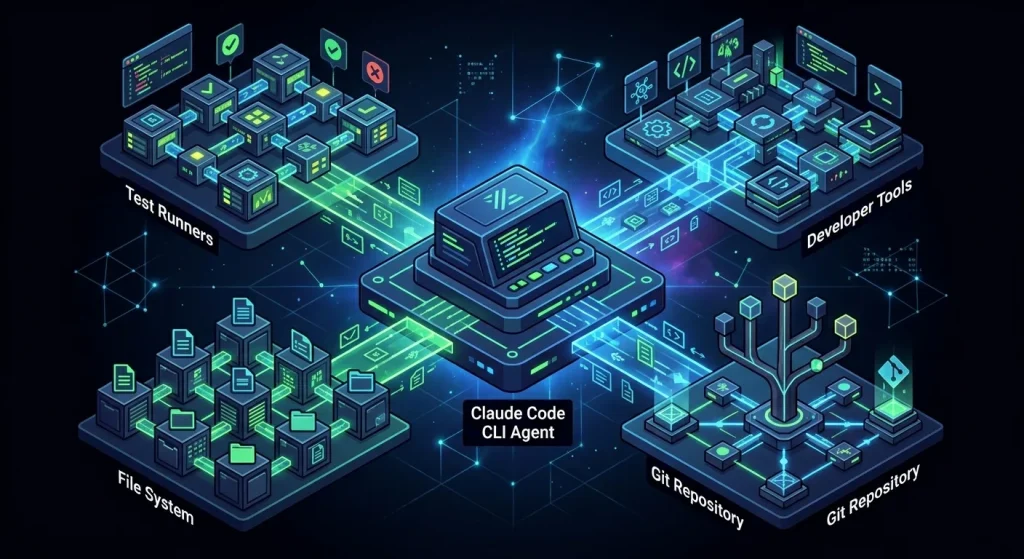
Launched by Anthropic, Claude Code is purpose-built around the idea that a large language model should be able to do more than write snippets. It should be able to own tasks. The tool connects Claude’s reasoning capabilities directly to your local filesystem, your terminal, your test runner, and your version control system.
This matters for a few reasons. First, the cognitive overhead of context-switching between your editor, a chat interface, and your terminal is real — and it compounds across a workday. Second, AI suggestions are only as useful as they are accurate in context. When the model can read your actual files, run your actual tests, and see the actual error output, its suggestions stop being generic and start being situationally correct.
Claude Code is not trying to replace developers. It’s trying to eliminate the mechanical drag — the repetitive, low-creativity work that consumes hours but produces little learning.
How Claude Code Actually Works
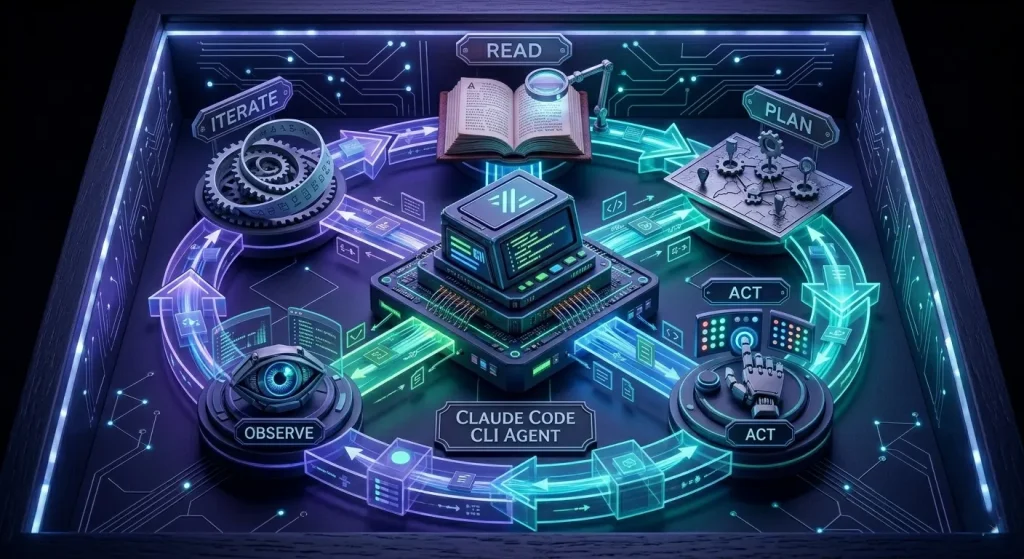
This is where it gets genuinely interesting. Claude Code is not a thin wrapper around an API that pastes code into your terminal. It’s an agentic loop — a system that perceives, reasons, acts, observes, and repeats.
The Agent Loop
When you give Claude Code a task, it doesn’t generate one response and stop. Instead, it enters a loop:
- Read — It reads the relevant files in your project to understand current state.
- Plan — It reasons about what changes are needed and in what order.
- Act — It makes edits, runs commands, or creates files.
- Observe — It reads the output (test results, compiler errors, logs).
- Iterate — It adjusts based on what it observed and repeats until the task is complete.
This loop is what separates an agent from a chatbot. A chatbot responds. An agent pursues a goal.
Tool Use Under the Hood
Claude Code has access to a defined set of tools it can invoke: file reading, file writing, bash command execution, and search. It decides which tools to use based on the task. Ask it to add a feature, and it might read three files, write two, run your test suite, observe a failing test, fix the root cause, and re-run. All autonomously.
Context Awareness
One of Claude Code’s strongest properties is that it operates with full codebase context. Rather than relying on whatever you paste into a chat window, it can navigate your directory tree, read imports, trace function calls, and understand the actual shape of your project. This dramatically reduces hallucinated suggestions — the model is reasoning about your code, not a generic abstraction of code.
Practical Ways to Use Claude Code in Your Workflow
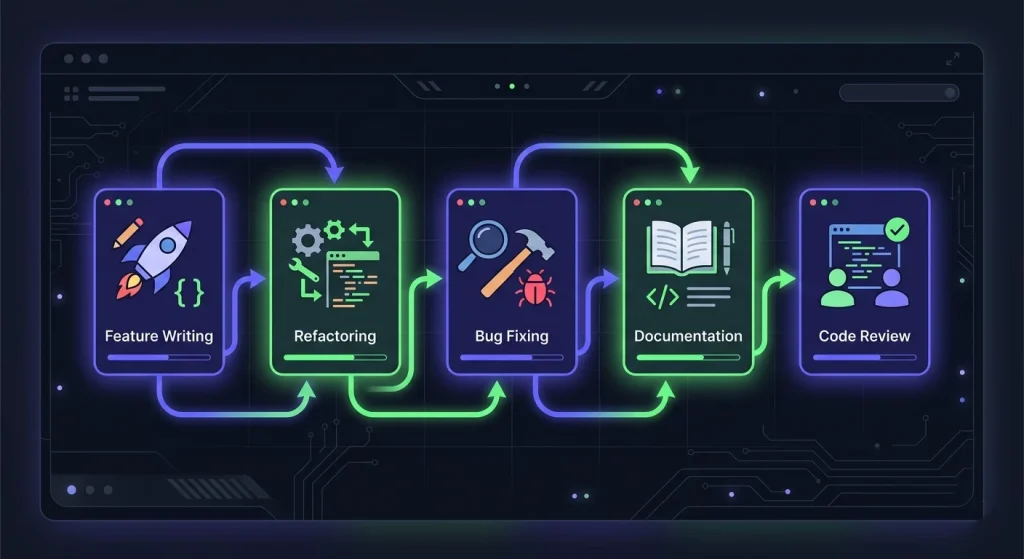
Theory is useful. Working examples are better. Here are five high-value ways developers are actually using Claude Code today:
- Feature implementation from a spec — Write a short natural language description of a feature. Claude Code reads your codebase, identifies where the changes belong, writes the implementation, and adds tests. What used to take 30–90 minutes of setup and typing can happen in a focused agent session.
- Codebase-wide refactoring — Rename a function used across 40 files. Migrate from one library to another. Update an API contract and propagate the changes. These are tasks humans dread because they’re tedious and error-prone. Claude Code handles them systematically, file by file, with verification.
- Bug investigation and fixing — Paste an error message or point Claude Code at a failing test. It traces the error back through your code, identifies the root cause, proposes a fix, applies it, and runs the test again. The feedback loop that used to take 20 minutes of
console.logarchaeology can collapse to under two. - Documentation generation — Point Claude Code at a module or API and ask it to write comprehensive docs. Because it reads the actual implementation, the docs are accurate and specific — not the kind of vague summaries you get from tools that haven’t read your code.
- Code review preparation — Before opening a PR, ask Claude Code to review your diff for potential issues: missing edge cases, inconsistent naming, security concerns, or performance anti-patterns. It’s a rigorous pre-check that catches things tired human eyes often miss.
What to Watch Out For: Limitations and Best Practices
Claude Code is impressive, but it’s not infallible. Understanding its limitations is what separates developers who use it well from those who get burned.
Scope creep in autonomous mode. When you give Claude Code broad latitude, it can make changes you didn’t anticipate. Always scope your instructions clearly. “Refactor the authentication module” is safer than “clean up the codebase.” Use version control — commit before every Claude Code session so you have a clean rollback point.
Hallucinations in unfamiliar territory. Claude Code is excellent when working within your existing patterns and conventions. Push it into unfamiliar libraries or niche APIs it has little training data on, and accuracy drops. For those cases, supervise more closely and verify outputs before running.
Long-running tasks need checkpoints. For complex multi-step tasks, break the work into smaller verifiable chunks. Ask Claude Code to complete one step, review its output, then continue. Treating it like a junior developer who needs check-ins — rather than a senior who can disappear for a week — produces better results.
Test coverage is your safety net. The more comprehensive your test suite, the safer Claude Code’s autonomous edits become. Tests give the agent a ground truth signal: if the tests pass, the change is probably correct. If you’re running Claude Code on untested code, the risk of silent regressions increases meaningfully.

Conclusion
Claude Code represents a genuine step forward in what AI-assisted development can look like. It’s not smarter autocomplete. It’s not a chatbot you paste code into. It’s an autonomous software engineering agent that reads your codebase, reasons about your goals, and takes real action in your terminal — iterating until the job is done.
For developers and tech enthusiasts, the workflow implications are significant. Repetitive tasks shrink. Context-switching decreases. The mental energy you’d spend on mechanical implementation can be redirected toward system design, architecture decisions, and the problems that actually require human creativity.
The tools are early. The limitations are real. But the direction is clear — and Claude Code’s autonomous software engineering is one of the clearest signals yet of where the profession is heading.
Final Thoughts
If you’ve been watching agentic AI from the sidelines, now is a good time to get hands-on. Try Claude Code on a contained task in a project you know well — you’ll learn more in one session than from a dozen articles. Have thoughts, questions, or war stories from your own Claude Code experiments? Drop them in the comments — the best developer insights come from the community.